Business Requirement: When an Opportunity is created during Lead conversion, the Contact which is created during the same Lead conversion should be auto populated on that Opportunity.
In general when we convert a Lead, it creates a new Account, Contact and Opportunity. But, by default no contact is associated with the opportunity created during lead conversion. So, to fulfill this business scenario I’m going to use Process builder.
Using Process Builder to auto populate Contact on Opportunity during Lead conversion
Getting started, we have to create a process builder on Lead object. And select the check box when a record is created or edited to start the process. As shown in the below screen shot.
Getting started, we have to create a process builder on Lead object. And select the check box when a record is created or edited to start the process. As shown in the below screen shot.

Now we have to add Criteria for the action to take place by setting the conditions for Process builder to be invoked. Select the Lead field as IsConverted equals to True. Which means the process invokes only when Lead gets converted to opportunity.
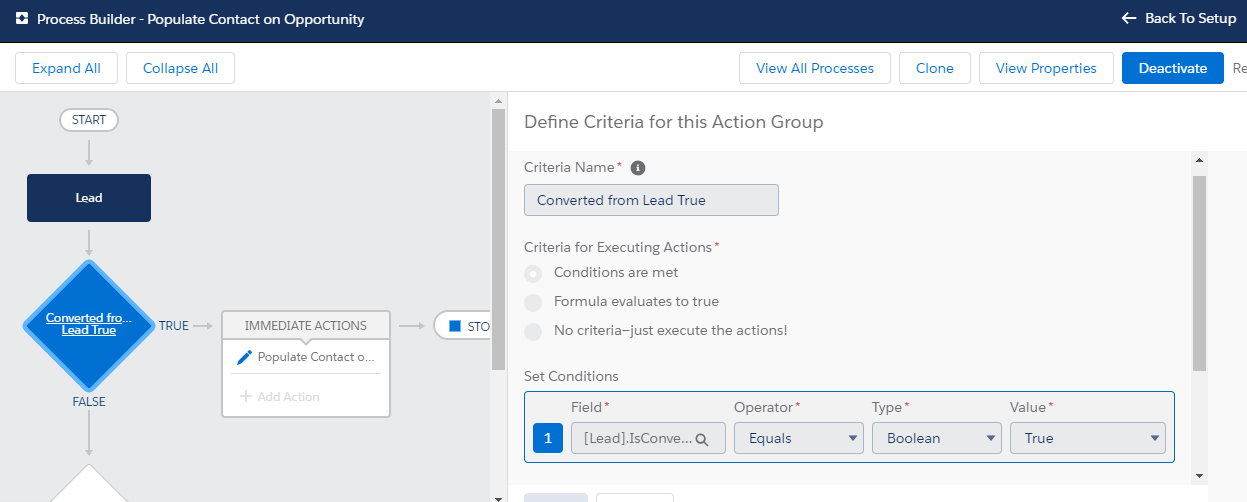
We need to select Immediate actions to add an action. Now select Update records as action. And now it is main step to select an Object to which we need to update the record. Choose the option as “Select a record related to the Lead”. As shown below

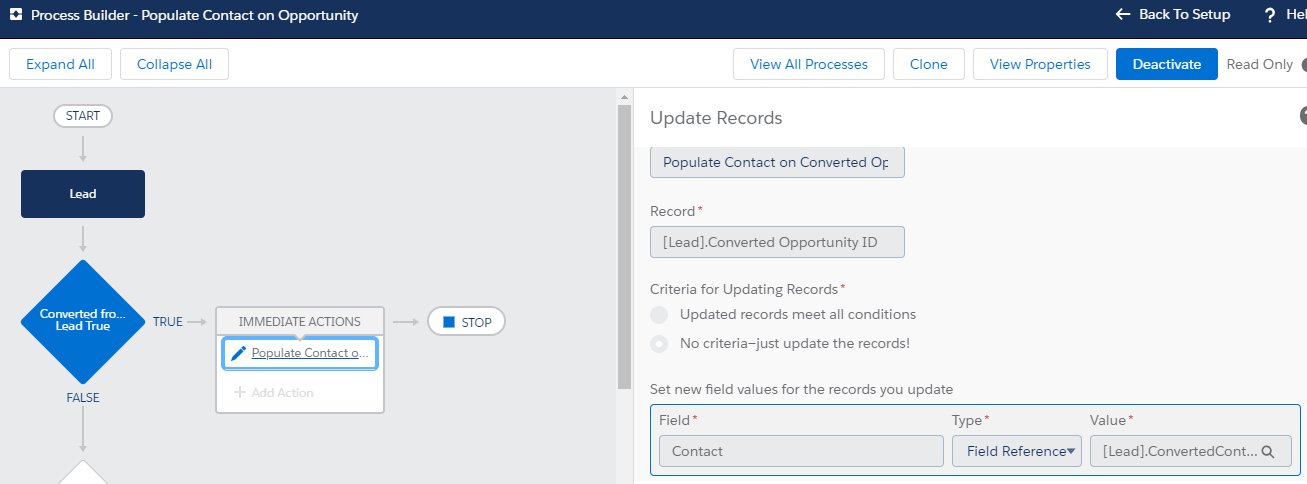
Now Choose Converted Opportunity ID as the record which needs to be updated. Converted Opportunity ID is the opportunity which created when a lead is converted. Leave the default option as “No criteria-just update the records!”. Select the Contact field from opportunity and choose the type as Field reference. Set the value as Converted Contact ID as shown below.
Thank You.
 Salesforce is my Habit